Chrome extension for spreadsheet-heavy teams

Run serious Google Sheets work from one AI side panel.

Get explicit sheet targeting, linked Google accounts, reusable rules, saved shortcuts, built-in tools, and model selection in a workflow that feels operational, not gimmicky.

0.2.0 Current public version.
Apr 25, 2026 Latest listed store update.
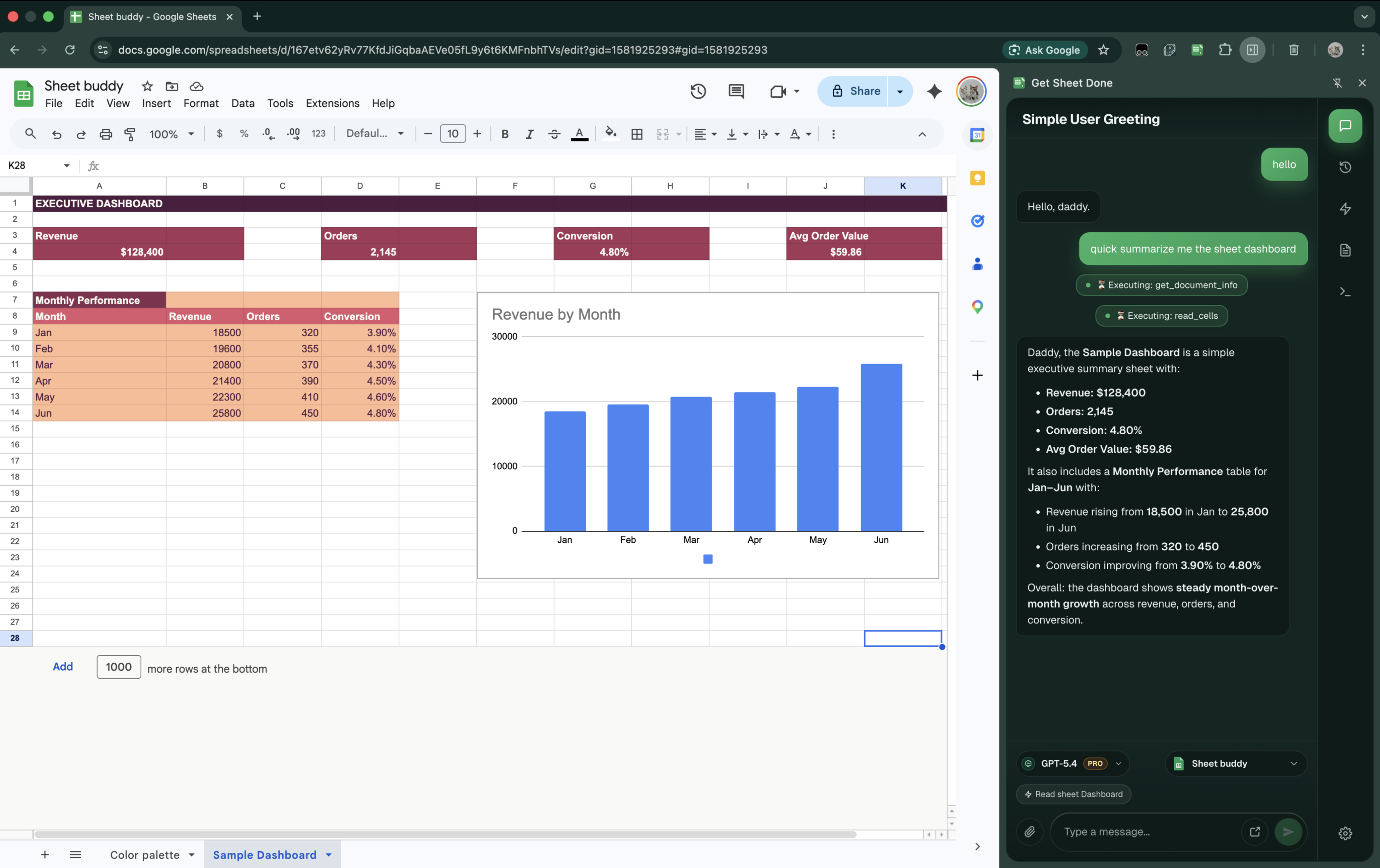
Read. Update. Format. Built-in sheet actions go beyond plain-text prompting.
Sheet Robot full application interface showing the AI side panel for Google Sheets
Sheet Context

Target the right spreadsheet before running tools.

Lock the active spreadsheet first so every sheet-aware action runs against the right workspace instead of guessing context.
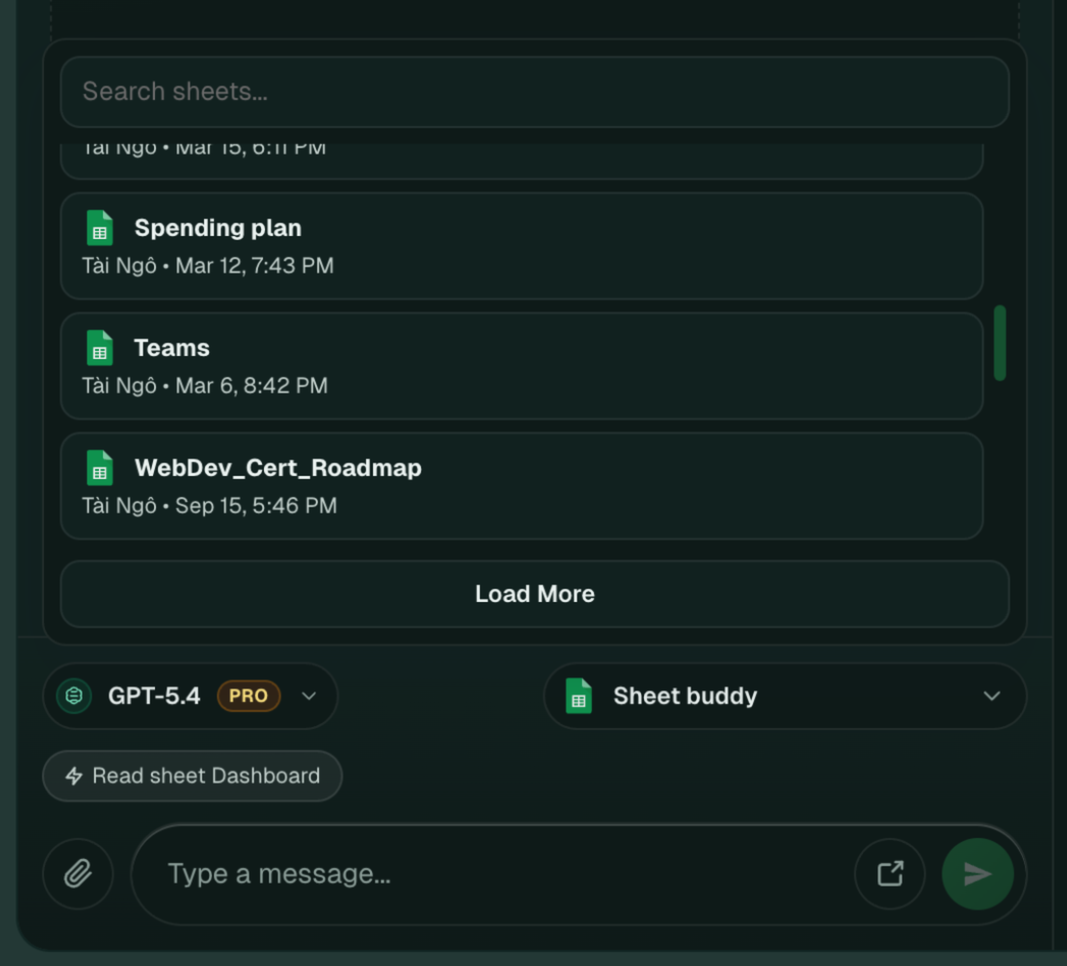
Sheet Robot sheet selection interface for choosing the active spreadsheet
Model Tier

Match model depth to the spreadsheet task in front of you.

Use lighter models for quick edits and premium models when the task needs stronger reasoning, cleaner structure, or higher-confidence output.
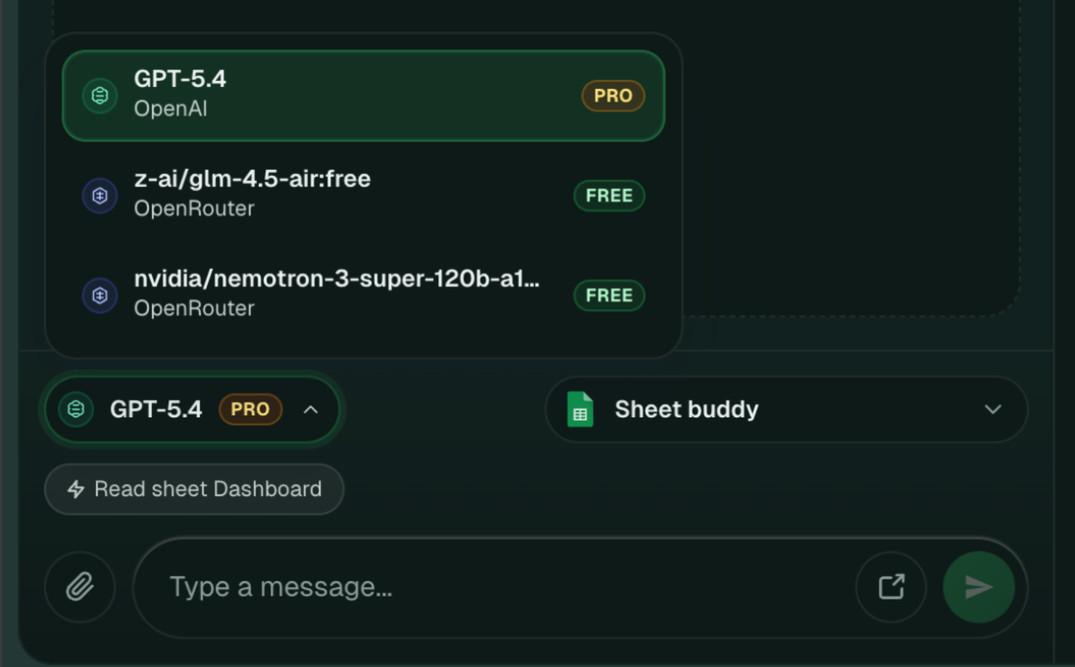
Sheet Robot model selector showing free and premium model options
Feature Walkthrough

Built for spreadsheet operations, not just another floating chatbot.

Every block below maps directly to part of the product UI so visitors can see how the extension actually works before installing it.

Personal Rules

Set the assistant behavior once before the first message.

Save durable instructions so recurring Sheets workflows keep the same tone, structure, and operating rules without repeating them every time.
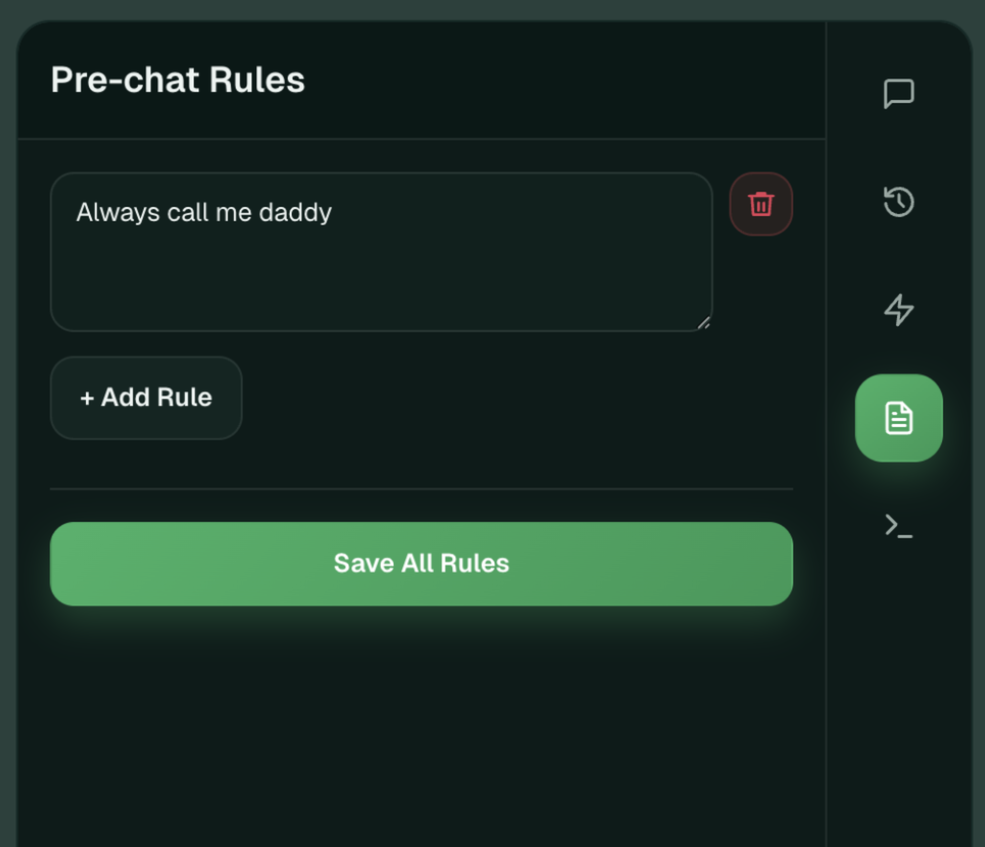
Sheet Robot personal rules interface for defining pre-chat behavior
Shortcuts

Turn repeated spreadsheet prompts into one-click commands.

Save common requests once, then trigger them again when reviewing dashboards, recurring reports, summaries, and sheet maintenance tasks.
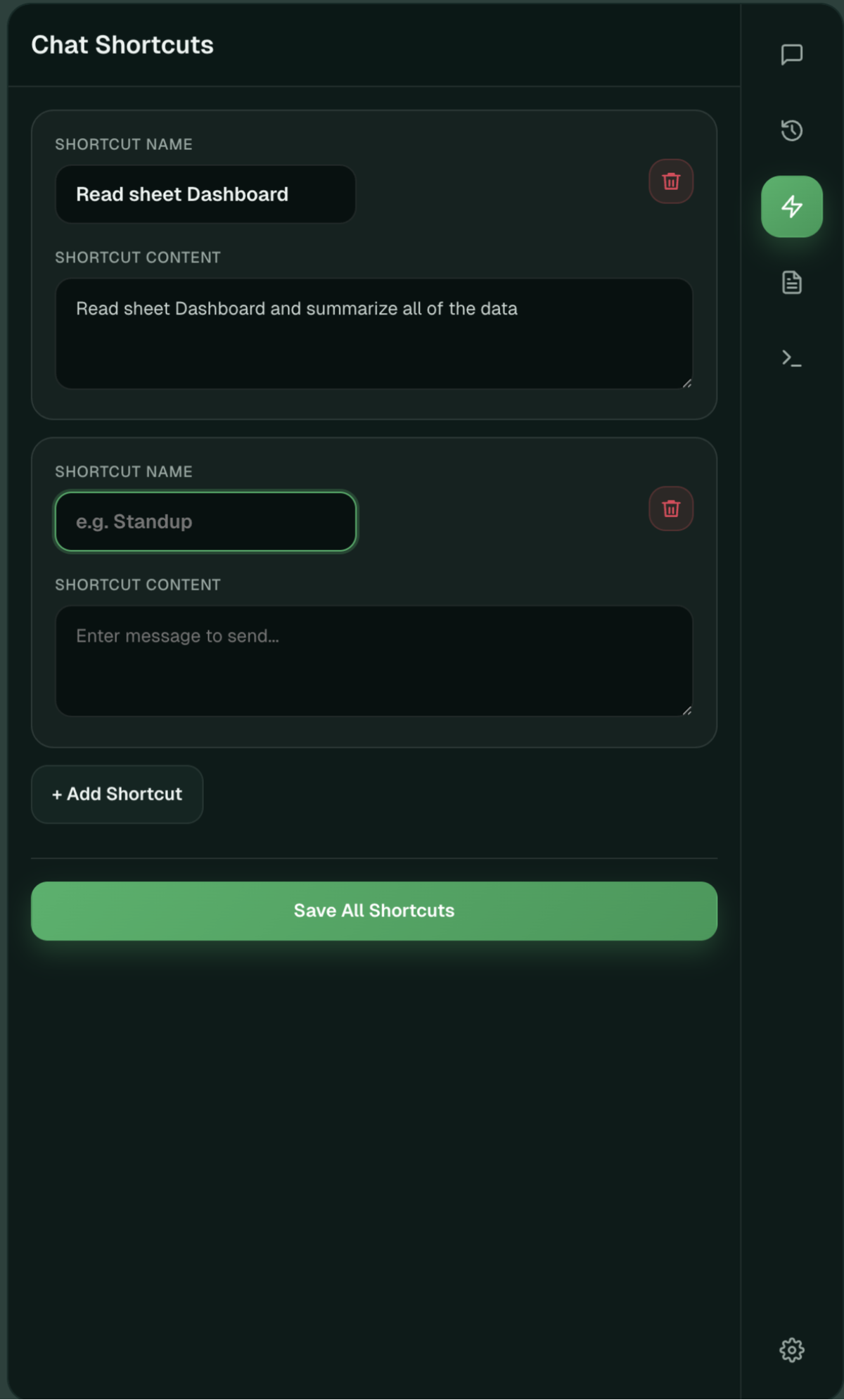
Sheet Robot shortcut editor interface for saving reusable prompts
Tools Playground

Run tool calls directly when the work needs precision.

Inspect arguments, preview payloads, and execute built-in Sheets tools with more control than plain chat when you need to validate exact inputs.
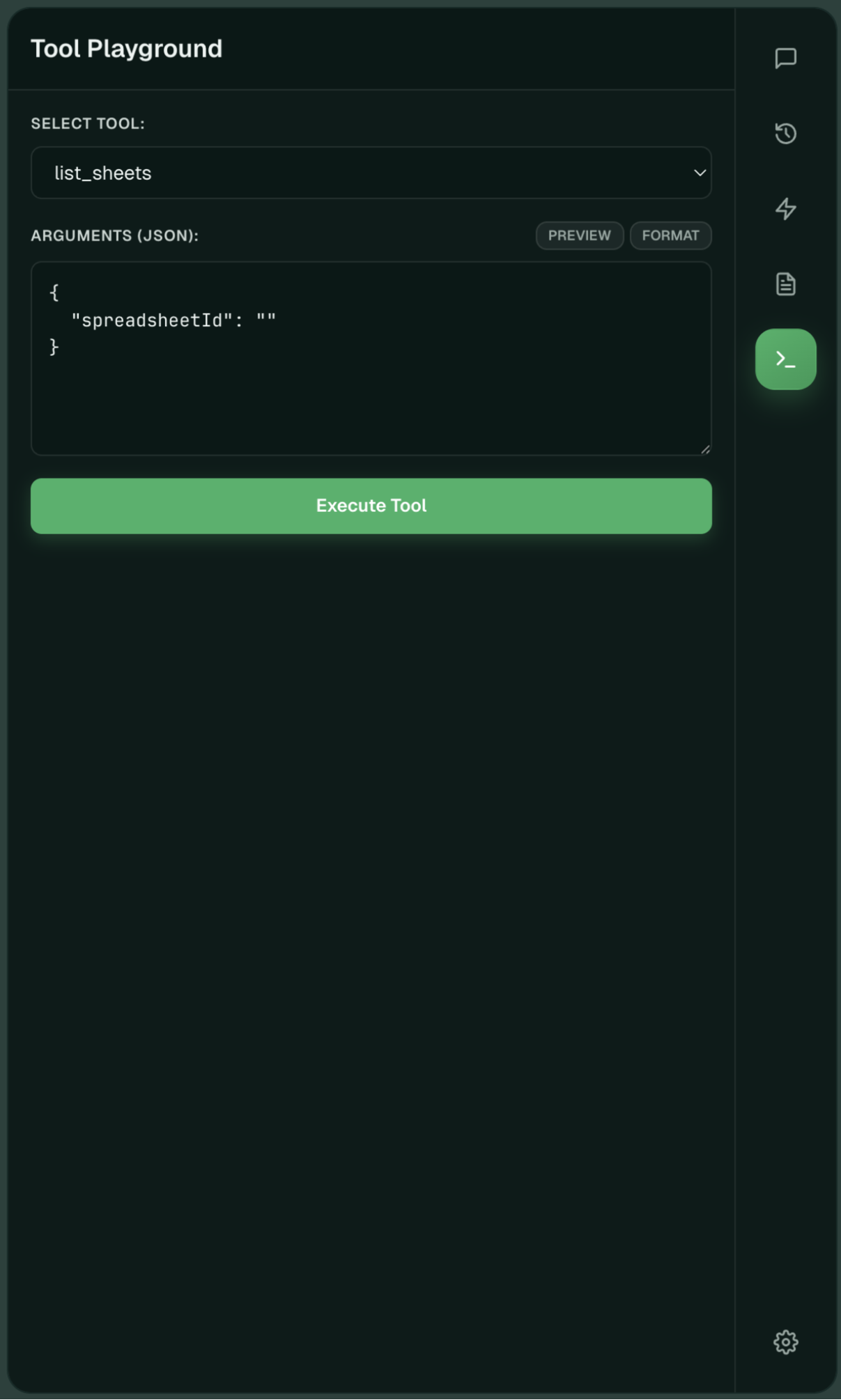
Sheet Robot tools playground for selecting a tool and executing JSON arguments
Multiple Google Accounts

Switch account context without losing the thread.

Link more than one Google account, set the active one for the current task, and keep the extension aligned with the spreadsheet environment you actually need.
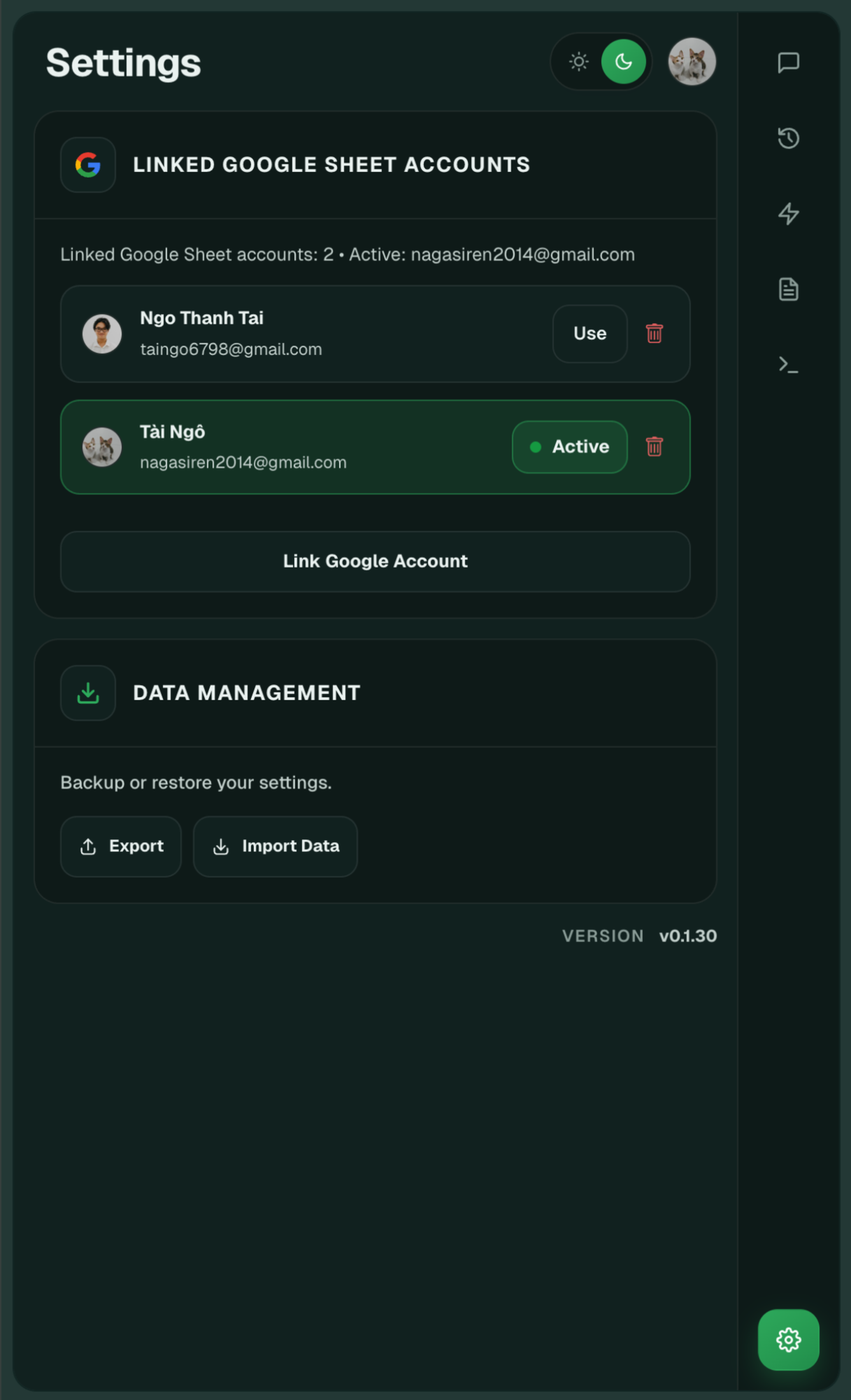
Sheet Robot settings page for managing multiple linked Google accounts
Workflow

Use the extension in a sequence that stays predictable.

The product is designed around explicit sheet context, model control, and repeatable tool usage rather than vague chat interactions.

1. Select account and sheet Pick the active Google account and point the assistant at the exact spreadsheet.
2. Choose the model tier Use fast models for lightweight work and premium models for deeper spreadsheet reasoning.
3. Load saved rules or shortcuts Start from persistent instructions and reusable prompt templates.
4. Run sheet-aware actions Read, update, create, and format through the assistant's built-in Sheets tooling.
User Feedback

What spreadsheet-heavy teams are saying.

Join hundreds of operators who have optimized their Sheets workflow.

"Finally, an AI tool that actually understands cell context. It's saved our team roughly 10 hours a week on reporting."

SJ
Sarah Jenkins Operations Lead

"The linked Google accounts feature is a game changer. I can pull data from three different client sheets without logging out."

MC
Marcus Chen Data Analyst

"The 'Shortcuts' feature makes my monthly inventory a 2-minute task. It feels like part of the spreadsheet, not an add-on."

ER
Elena Rodriguez Founder
Pricing

Built for serious spreadsheet work.

Choose the model that matches your spreadsheet complexity.

Free

Free
50 credits monthly
  • One Google account connected
  • Text chat only
  • Limited AI sheet tools
  • Less credits

Sheet Robot PRO

$20
$9
1000 credits monthly
  • All free features
  • Multiple linked Google accounts
  • Use attachments
  • High-end sheet skills
Get the Extension

Take control of your spreadsheet operations.

Install the Chrome extension and start running serious AI work directly in your Google Sheets side panel.